With AI, ‘context is everything’. To get the best results, you need to provide AI Expertise, the right MCP Server, Agent Memory, the best prompts in the world, and whatever else a context engineering expert will come up with next.
What if you could short cut most of that, and use the kit you’ve developed over the last few years, and just train your Agents on how to use them, vs asking them to generate code, or create SQL to answer your question?
OCI SQL reports allow that
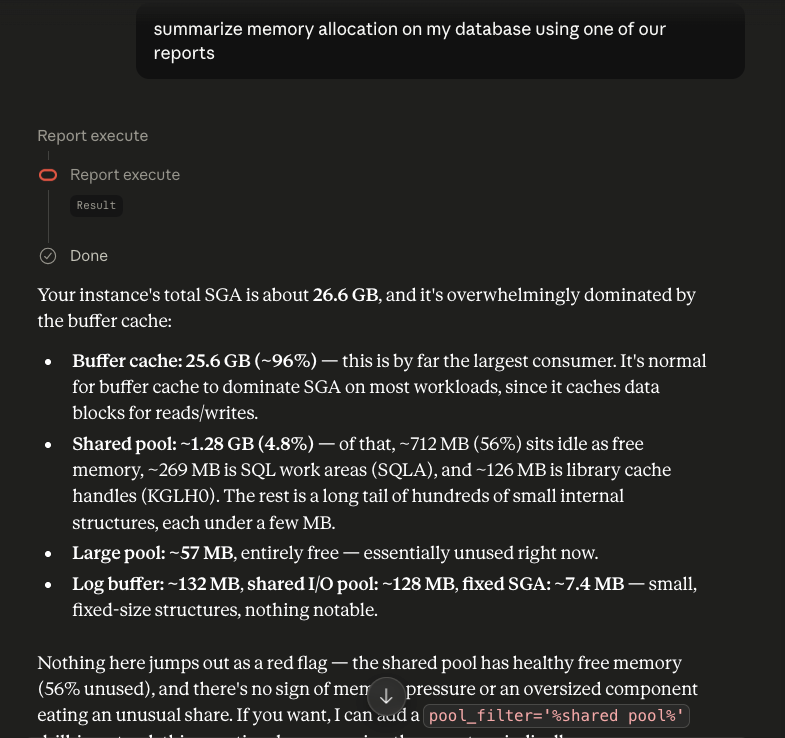
The MCP Server we manage for Oracle AI Database includes the ability to deliver information via SQL Reports. So your agents and LLMs don’t need to study your schema to know how to generate the right SQL, they just have that SQL ready, at their fingertips, through MCP Tools.
Need refreshment? You can read more about:
- Announcement: Our OCI MCP Server for Oracle AI Database
- Deep Dive: SQL Reports, and how AI can use them through MCP
Cool, but now I have to create AND load a ton of reports. See you in 3 months.
WRONG! You may already be using these reports in your organization in a variety of formats. You can automate the transformation and load those reports! And that’s what I want to tell you now.
AI is good at many things, and generating code to do basic utility type things is definitely one of those things, especially if it’s not for a commercial grade enterprise application!
I asked my Agent to learn ‘create-sql-report-oracle-database‘ OCI command line utility docs, and also to read my coworker’s Terraform automation post for batch loading SQL reports.
I then asked him to take the EXISTING AWESOME REPORT, and refactor it for this use case. We wrote this report to help DBAs perform diagnostics on their databases. They look at things like expensive SQL, memory allocation/usage, and wait events.
So if I have a question about my system, and it falls into this bucket, my Agent can simply call a report to get that info, versus going back to creating (and executing) SQL to get that data.
That is, I am sure of it the answer will be ‘known’ and consistent. This would also save resources – my agent wouldn’t use tokens to ‘think’ and generate code.
Before I share the OCI script I use, let me talk about the instructions I share with my Agents
*Keep the SQL lean as per the question request, tell the agent exactly when to fetch this report (with real question examples), and name your parameters like you’re handing them off to a colleague, not a compiler.*
I also encouraged him Remember (consider) Our AI skills around SQL and performance tuning.
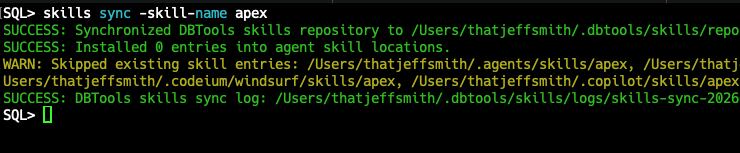
My agent can look at my old reports, saved as XML, and convert them to JSON files that have the structure expected by the OCI command.
Here is a before and after example –
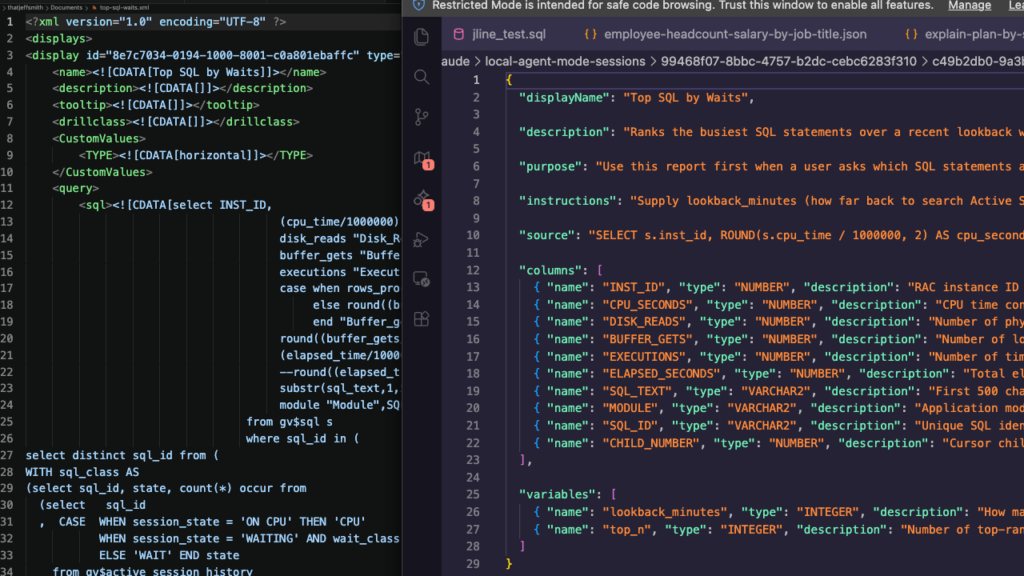
The biggest difference is the documentation, the instructions included in the report. This report TEACHES MCP Clients how to call the report. The report even includes examples of questions that can be answered in the report!
 "description": "Ranks the busiest SQL statements over a recent lookback window (from Active Session History), by elapsed time. This is the entry point of a 4-report drill-down family migrated from top-sql-waits.xml: Top SQL by Waits -> Explain Plan by SQL_ID / Bind Variables by SQL_ID / SQL Elapsed Time History by SQL_ID.",

 "purpose": "Use this report first when a user asks which SQL statements are consuming the most resources or time recently — top SQL by elapsed time, CPU-heavy queries, or high-wait SQL. Sample questions: \"What are the top SQL statements by elapsed time in the last 30 minutes?\" \"Which queries are causing the most waits right now?\" \"Show me the most active SQL over the last hour.\"",

"instructions": "Supply lookback_minutes (how far back to search Active Session History, e.g. 30) and top_n (how many SQL statements to return, ranked by elapsed time, e.g. 10). Example: lookback_minutes=30, top_n=10. This is the starting point of a drill-down family — once you have a row of interest, take its sql_id, child_number, and inst_id and call the companion reports in sequence: (1) 'Explain Plan by SQL_ID' to see the execution plan for that statement, (2) 'Bind Variables by SQL_ID' to see the actual values bound at runtime, (3) 'SQL Elapsed Time History by SQL_ID' to see how that statement's performance has trended over time (AWR history).",Just loading reports in bulk, as is, may be fine, but I think it’s worth taking the time to validate reports so they still do what you think they do, AND add to their metadata so it’s clear to a person or agent when they can be applied to the question at hand.
Some reports have parameters, these parameters also need to be documented!
Instead of point-and-clicking 97x and copy-pasting another 36 times…I created a script to do it all for me in just a few seconds.
I have OCI SDK .profile set up on my machine. I can work from my machine to work with my OCI leases from vs code in my browser and console.
My bash script has some things specific to ‘me’, namely –
DEFAULT_COMPARTMENT_ID="ocid1.compartment.oc1.abcdefghijklmnop.123"
DEFAULT_OCI_PROFILE="dbtools"I put my SQL Reports into a specific compartment, and I use a secondary OCI Profile (not DEFAULT), so I set it as default.
Otherwise, the script is pretty straightforward:
- One JSON file per report, mapped directly to `oci dbtools sql-reports create-sql-reports-oracle-database` flag
- A small bash loop that handles multiple profiles, test mode, and doesn’t stop on the first failure
- Parses the resulting OCID for the new report object, exiting the asynchronous CLI response
How does it feel to run
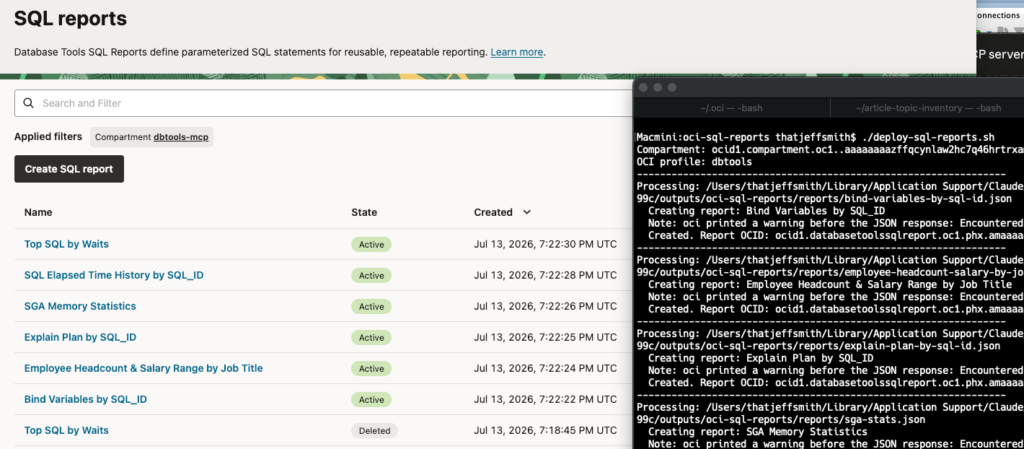
I have 5 or 6 reports in one folder, and I just call my script.
This report cannot be used from our MCP Server yet.
I can pull a report in the Console, just to do a sanity check, make sure everything is working as expected.

I have to divide 1 report into 5
I have a Parent-Child report. However our OCI Tools service does not support this. Does not matter! I simply split 1 BIG report into several separate reports, with supporting descriptions and updated instructions to instruct Agents how to ‘run’ the report from the top level down.
Set it up so it can be called from my Agent
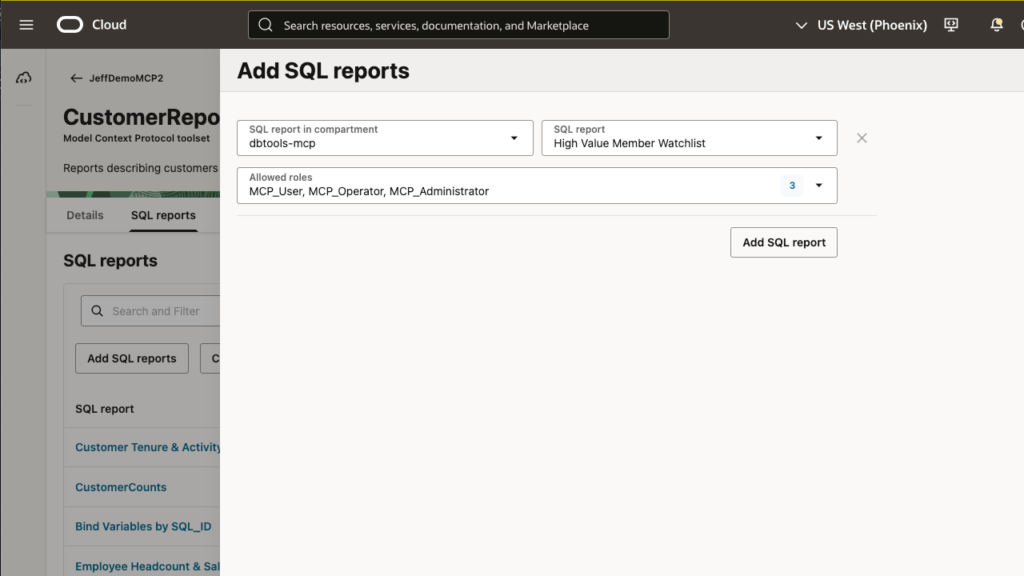
I need to add this new report to my MCP Server and new or existing MCP Devices. At that time I also set up the Role membership required to access the report.
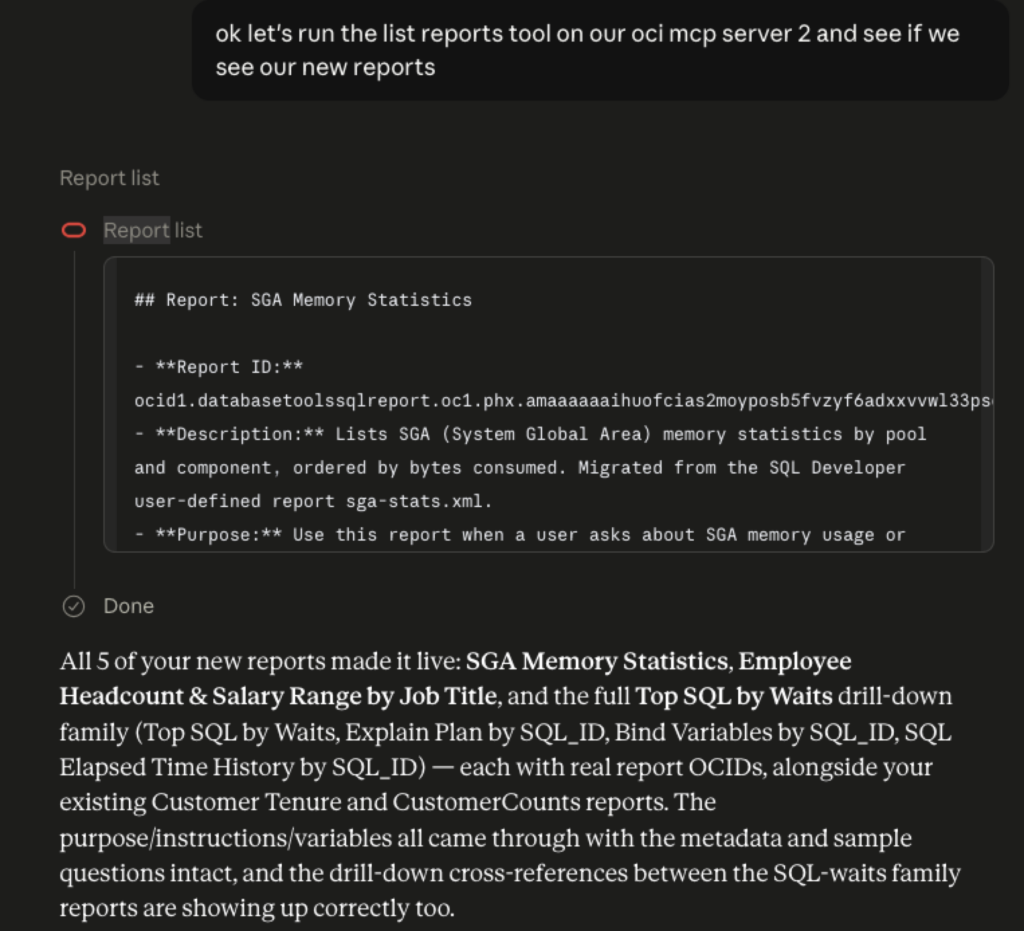
Once I did this, they were available, IMMEDIATELY.
Manuscript
Hint: the actual command instructions start on line 105.
#!/usr/bin/env bash
#
# deploy-sql-reports.sh
#
# Batch loads Database Tools SQL Report definitions into the OCI compartment
# using OCI CLI. Each report is defined as one JSON file (see
# templates/reports...
PakarPBN
A Private Blog Network (PBN) is a collection of websites that are controlled by a single individual or organization and used primarily to build backlinks to a “money site” in order to influence its ranking in search engines such as Google. The core idea behind a PBN is based on the importance of backlinks in Google’s ranking algorithm. Since Google views backlinks as signals of authority and trust, some website owners attempt to artificially create these signals through a controlled network of sites.
In a typical PBN setup, the owner acquires expired or aged domains that already have existing authority, backlinks, and history. These domains are rebuilt with new content and hosted separately, often using different IP addresses, hosting providers, themes, and ownership details to make them appear unrelated. Within the content published on these sites, links are strategically placed that point to the main website the owner wants to rank higher. By doing this, the owner attempts to pass link equity (also known as “link juice”) from the PBN sites to the target website.
The purpose of a PBN is to give the impression that the target website is naturally earning links from multiple independent sources. If done effectively, this can temporarily improve keyword rankings, increase organic visibility, and drive more traffic from search results.