2FA drastically improves user account security by adding a second layer of protection to the primary login credentials. 2FA requires additional configuration, management, and steps during authentication, so improving UX while strengthening security is a must to avoid user frustration. An optimal balance between usability and mandatory security requirements creates a secure and seamless 2FA flow.
The following 10 usability heuristics guide you in designing secure, frictionless 2FA for any digital product:
Why are heuristics important in 2FA UX?
In UI/UX design, heuristics are established principles and practices for creating user-friendly and usable product designs. There are no strict rules in 2FA UI/UX design, but designers should follow 2FA usability heuristics to create a usable, familiar, learnable, seamless 2FA verification, recovery, and configuration flow, while strengthening overall application security.
Examples of bad vs. bad 2FA patterns effective
Following heuristics creates effective 2FA UX for users, and ignoring heuristics leads to bad UX:
| Poor | Effective | |
|---|---|---|
| Offers mandatory hardware keys for 2FA configuration for general productivity applications Problem: Limited 2FA options |
Features multiple 2FA options, including SMS, TOTP authenticator app, biometrics, and hardware key, with concise explanations for each option | |
| OTP SMS is sent immediately after entering login credentials, the timeout is set for a few seconds, and there is no resend option Problem: Accessibility and delivery issues |
The OTP is sent after displaying the last two digits of the phone number on the user confirmation. A resend option is available, and the OTP will expire in a few minutes |
Top 10 heuristics for 2FA UX
The following 10 2FA usability heuristics help you design frictionless, secure, and effective 2FA flows:
1. Activate with progressive setup flow
In each 2FA configuration flow, users have to perform different progressive tasks, so we had to offer a step-by-step configuration UI for simplicity. Here are the general steps you should include in any 2FA configuration to improve usability and security:
- Orientation — Educate users about specific 2FA methods
- Connect — Enter a phone number, scan a QR code, or enter a hardware key for 2FA enrollment
- Verification — Verify 2FA device with OTP or TOTP
- Recovery settings — Downloads backup code or recommends setting up any recovery method
2. Provide method options with explanations
Offer multiple 2FA methods, at least two or more options, choose from SMS, TOTP authenticator app, biometrics, and hardware key, and let users choose the desired method.
Add concise explanations for each method, as well as use onboarding explanations with learn more links, so that even if users are unfamiliar with a particular 2FA method, they can quickly learn and adapt through your product.
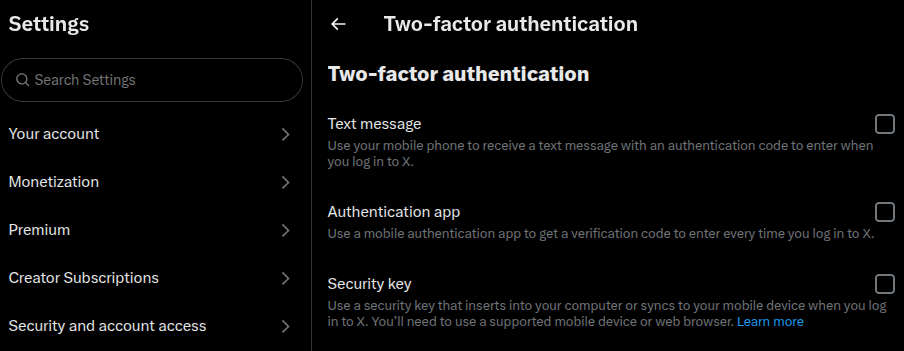
3. Offer a pre-check for device/browser compatibility
Not all users are using the latest devices to access your product — they may be using low-end devices and fairly old browsers. Showing compatibility messages at the end of the configuration wizard or greyed out without explanation is not a good practice as it will confuse or frustrate users.
Only displays 2FA options that the user’s device or browser supports. for example hiding biometric options if the device does not support biometric verification.
4. Avoid unnecessary repetition throughout the session
Avoid 2FA when the security risk is very low to increase user convenience. Bypassing 2FA on devices that users frequently use to access the product, also known as trusted devices, is common with most products. On trusted devices, digital products often bypass 2FA even if the user is logged out, unless the risk assessment results are changed.
5. Show fallback path without hidden menu
2FA methods can fail, so offer a clear initialization point for the secondary 2FA flow, and if it fails, offer access to the 2FA recovery flow. Never hide this option under a hidden menu and frustrate users, especially when their mood swings due to fear of account lockout. Progressively disclose secondary and recovery options for security purposes and to avoid challenging user decision-making.
6. Use language that explains, not confuses
2FA involves cryptography, hardware, and operating system-level security features, but does not use its technical jargon to explain security features or user flow steps. Use simple, non-technical language to describe 2FA in a way that everyone can understand.
Here’s an example:
- Do: Use an authenticator app to generate a one-time code for two-factor authentication
- Don’t: Use the TOTP application to strengthen 2FA security with the RFC 6238 TOTP algorithm
7. Support biometric and hardware locks whenever possible
Biometrics offers the most convenient user verification method. No OTP, copy-paste, typing— users just have to look at the camera or touch the fingerprint sensor, regardless of device type. Modern hardware keys have been proven to be more secure than all other 2FA methods. Biometric support for convenience and hardware locks for users who are extra careful about online security.
8. Respect accessibility principles
Design 2FA commands and flows with accessibility in mind to help everyone secure their accounts, regardless of ability. Here are some accessibility factors that are very important in 2FA design:
- Optimized contrast of text and UI elements
- Keyboard navigation
- Resend OTP option and quite a long time limit
- OTP autofill and copy-paste support
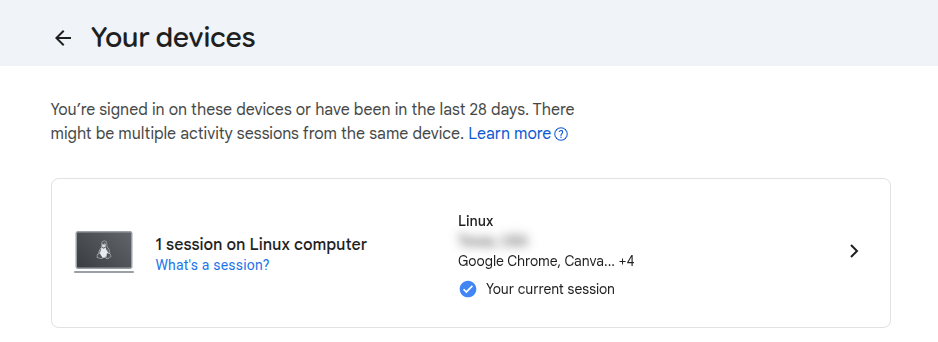
9. Allow users to review and revoke trusted devices
Create a new section or page in user settings to review and revoke trusted devices. This helps users block account access for certain devices if they are lost or stolen.
10. Minimize friction without weakening security
Increase user productivity by reducing user interaction with 2FA activities without weakening security. Here are some common ways to do it:
- Optimized timeout — Balance convenience and security for OTP and session timeouts
- Multiple 2FA methods — Users can choose based on convenience and security
- Autofill and autoverify — Autofill and autoverify SMS OTPs if your product is a mobile app
Metrics for evaluating usability
- Configuration abandonment rate — If more users move without configuring 2FA, there are usability issues in the 2FA configuration flow
- Code entry success rate — If more users enter the OTP or TOTP code correctly on the first attempt, the usability factor of the 2FA command is high
- Session termination during recovery — If more users abandon the process while they are in the middle of the 2FA recovery flow, the overall usability of the recovery flow will be low
Summary: Heuristics vs. risk mitigation
Mitigate security risks based on the following security implications when applying heuristics:
| Heuristic | UX benefits | Security implications |
|---|---|---|
| Simplified flow | Higher completion rate | Avoid skipping mandatory security protections |
| Session persistence | Reduces reauthentication fatigue | Risks if devices are shared |
| Extended deadline | Accessibility benefits | Avoid excessively long wait times to minimize the risk of bruteforce attacks |
| Skipping 2FA | Productivity benefits | Never bypass 2FA on untrusted devices or suspicious activity |
| Various recovery options | Recovery flexibility | Risks if weak methods are used |
FAQs
How often do 2FA prompts appear?
At least possible. Common products might ask once on a new personal device and ask again only if there is a security risk
Should we check the “trust devices” option by default?
It’s best to check on a personal device to reduce friction
Is the 2FA prompt only used with login?
No, you can use it to secure sensitive features, for example before processing financial transactions
LogRocket helps you understand how users experience your product without having to watch hundreds of replay sessions or talk to dozens of customers.
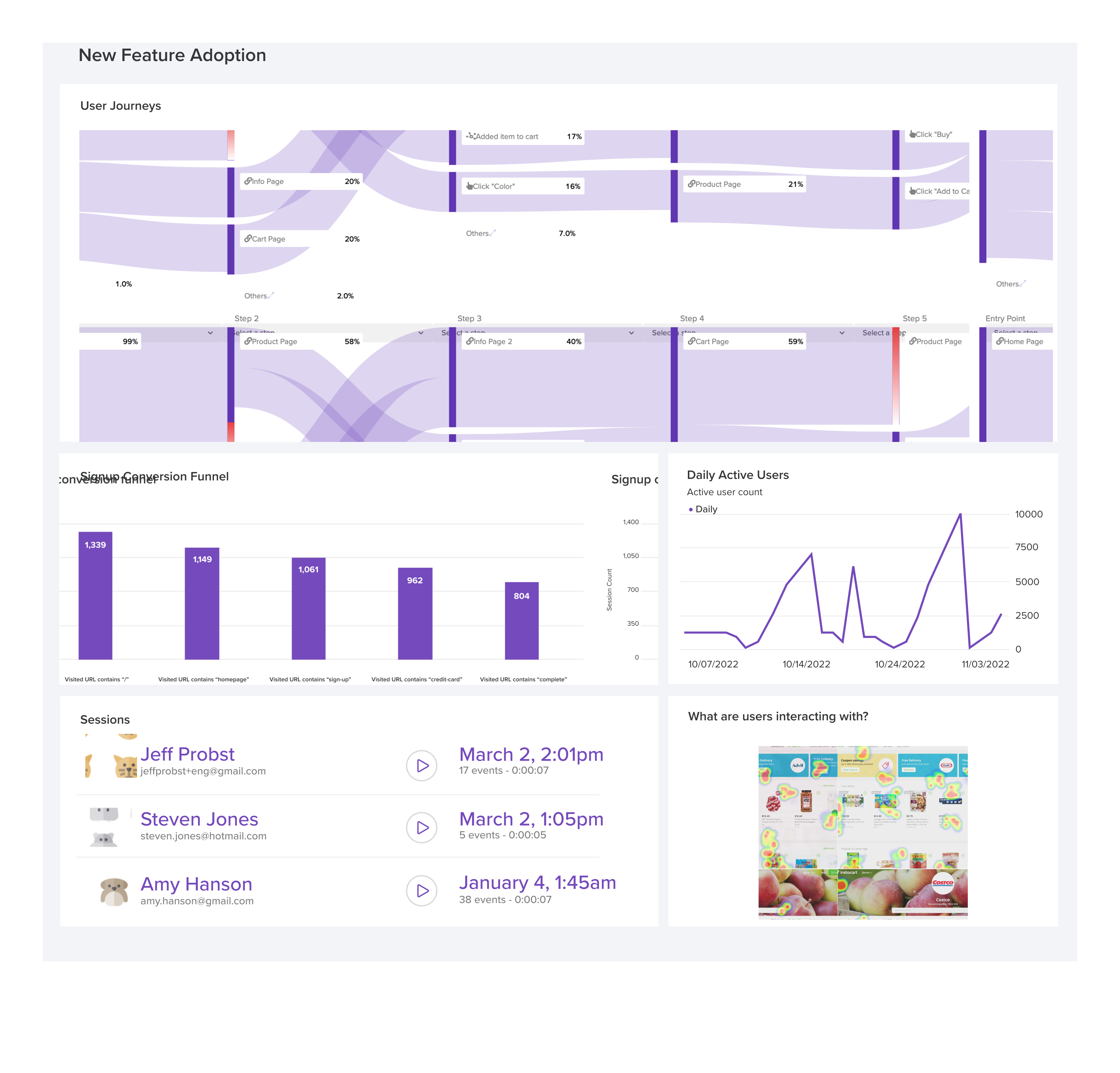
LogRocket’s Galileo AI monitors sessions and understands user input for you, automating the most time-consuming parts of your job and giving you more time to focus on great design.
See how design choices, interactions, and issues impact your users — get a demo of LogRocket today.
Berita Terkini
Berita Terbaru
Daftar Terbaru
News
Berita Terbaru
Flash News
RuangJP
Pemilu
Berita Terkini
Prediksi Bola
Togel Deposit Pulsa
Technology
Otomotif
Berita Terbaru
Daftar Judi Slot Online Terpercaya
Slot yang lagi gacor
Teknologi
Berita terkini
Berita Pemilu
Berita Teknologi
Hiburan
master Slote
Berita Terkini
Pendidikan
Resep
Jasa Backlink
One Piece Terbaru